rest_cookie_invalid_nonce: why a cached page makes WordPress say Cookie check failed
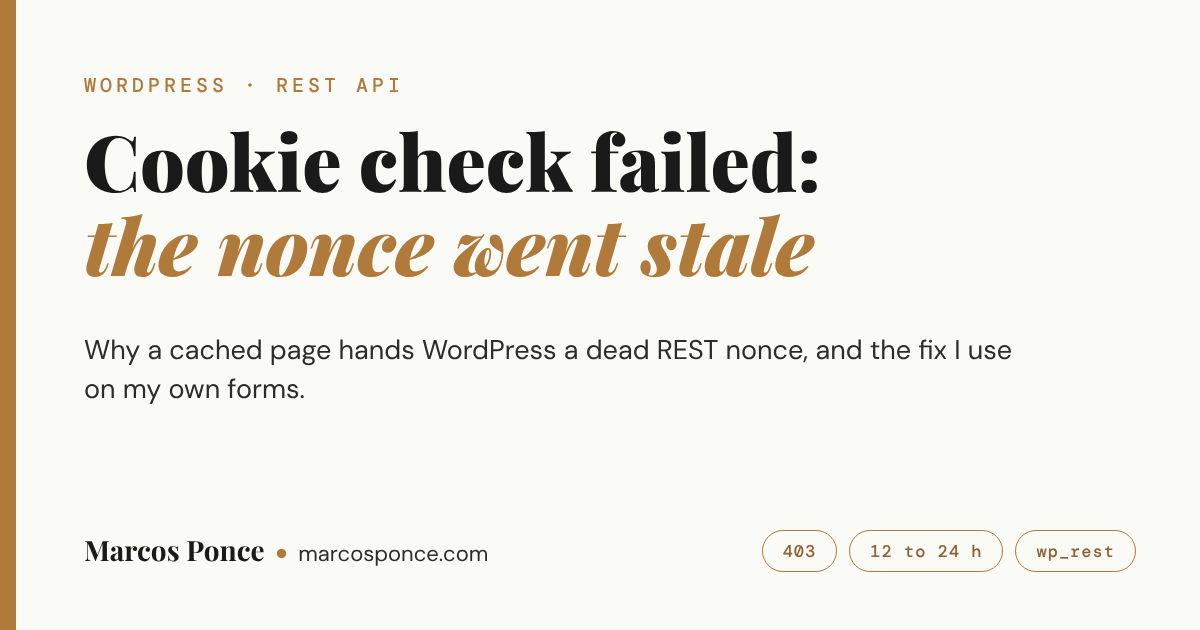
For ten days the signup form on my posts looked perfect and did nothing. I found it on October 1. Fixing it sent me into how WordPress checks REST nonces, and into the other way a form like mine dies: a 403 with a two-word message, Cookie check failed.
Short version for the skimmers. rest_cookie_invalid_nonce means the nonce sent with a REST request did not verify, so WordPress refused it with a 403. The usual cause is a nonce printed into a page that a cache kept longer than the nonce lives. A REST nonce verifies for 12 to 24 hours. LiteSpeed Cache keeps public pages for a week by default. Fix it by sending no nonce on public routes, or by fetching a fresh one at the moment the user submits.
KEY FACTS
WordPress core answers a bad REST nonce with HTTP 403, code rest_cookie_invalid_nonce and the message “Cookie check failed”.
The default nonce life is 86,400 seconds, split into two 12-hour windows. A nonce verifies for 12 to 24 hours depending on when it was made. The windows turn over at 00:00 and 12:00 UTC.
LiteSpeed Cache’s default public TTL is 604,800 seconds, one week. A page cached that long can keep serving a nonce for six and a half days after it stopped working.
On my own site, logged out, the same URL returned 200 with no nonce, 403 with a made-up nonce, and 200 with a fresh one.
My inline signup form was dead for 10 days before a real browser test caught it.
What rest_cookie_invalid_nonce means
Every REST request passes through one core function, rest_cookie_check_errors(), before it reaches any route. It looks for a nonce in the X-WP-Nonce header or the _wpnonce parameter. Then one of three things happens.
No nonce at all: WordPress sets the current user to 0 and carries on. The request runs as an anonymous visitor. A nonce that verifies against the action wp_rest: the request runs as you, and the response carries a fresh nonce back in an X-WP-Nonce header. A nonce that fails: core stops, marks the response as uncacheable and returns rest_cookie_invalid_nonce with status 403.
That check sits in front of every route, custom ones included. The REST API handbook says so plainly: your own endpoints do not need to validate the nonce, because core already did. It also means your own endpoint never gets the chance to explain the failure.
Application passwords skip this path. A request authenticated with one never touches the nonce check. If that is your setup and you still get refused, the cause is somewhere else, usually an Authorization header that never reaches WordPress.
How I reproduced it on my own site
I wanted to see the error with nothing else in the way. No browser, no cookies, no plugin JavaScript. Four requests against the public posts route, logged out:
# 1. no nonce
curl -s -o /dev/null -w "%{http_code}\n" "https://example.com/wp-json/wp/v2/posts?per_page=1"

# 2. a made-up nonce in the header
curl -s -H "X-WP-Nonce: 0123456789" "https://example.com/wp-json/wp/v2/posts?per_page=1"

# 3. the same made-up nonce as a parameter
curl -s "https://example.com/wp-json/wp/v2/posts?per_page=1&_wpnonce=0123456789"
The second and third came back identical:
{"code":"rest_cookie_invalid_nonce","message":"Cookie check failed","data":{"status":403}}| Request | Logged in | Status | What came back |
|---|---|---|---|
| No nonce | No | 200 | The post list |
X-WP-Nonce: 0123456789 |
No | 403 | rest_cookie_invalid_nonce, plus Cache-Control: no-store |
_wpnonce=0123456789 in the URL |
No | 403 | The same error |
| A fresh nonce read off one of my pages minutes earlier | No | 200 | The post list, with the same nonce echoed back in X-WP-Nonce |
Row two is the one that surprised me. I was logged out. I sent no cookie at all. The error still says cookie. A public route that works fine with no nonce fails the moment you send a bad one. The nonce you did not need is the one that breaks the request.
Why a REST nonce goes stale in 12 to 24 hours
A WordPress nonce is not a random token stored somewhere. It is a hash, rebuilt on every check. wp_verify_nonce() hashes four things: a time counter, the action, the user ID and the session token from the login cookie. If the result matches what you sent, the nonce is valid.
The time counter comes from wp_nonce_tick(). It divides the current Unix time by half the nonce life and rounds up. The life defaults to DAY_IN_SECONDS, so each tick lasts 43,200 seconds, or 12 hours. Verification accepts the current tick and the one before it. That is where the documented “12 to 24 hours” comes from, and why the exact figure depends on when the nonce was made:
| Nonce created at (UTC) | Stops verifying at (UTC) | How long it lived |
|---|---|---|
| 00:01 | 00:00 the next day | 23 h 59 min |
| 11:59 | 00:00 the next day | 12 h 1 min |
| 12:01 | 12:00 the next day | 23 h 59 min |
| 23:59 | 12:00 the next day | 12 h 1 min |
Those are the defaults. A plugin can change the life with the nonce_life filter, which moves every number in that table.
For a logged-out visitor the user ID is 0 and there is no session token. So every anonymous visitor in the same 12-hour window gets the same nonce. That is why a cached page with a nonce in it works at all for a while. It is also why it breaks on a clock, for everyone at once, instead of at random.
The session token explains the logged-in version of the bug. Log out and back in, and the token changes. Every tab you opened before that is now holding nonces built from a session that no longer exists.
How a page cache turns that into a 403
A page cache stores the whole HTML response. If the page printed a nonce, through wp_localize_script() or an inline script, the cache stores that too and hands it to every visitor until the copy expires.
LiteSpeed Cache’s documentation puts the default public TTL at 604,800 seconds, one week. Set that against the table above. A nonce made at 11:59 UTC dies at midnight. The cached page carrying it can live another six and a half days. Every visitor in that stretch gets a dead nonce, and every form that sends it gets the 403.
This site runs behind Hostinger’s CDN, and LiteSpeed Cache is active on it too. Two layers, both able to hold a page with a nonce in it.
The same documentation describes the setting built for this: ESI Nonces. You list nonce names, one per line. The plugin turns each into an Edge Side Include that expires on its own schedule while the rest of the page stays cached. It needs LiteSpeed Enterprise or QUIC.cloud. OpenLiteSpeed does not support ESI.
There is a nastier variant. If a logged-in user is ever served a copy of a page cached for logged-out visitors, they get a nonce built for user 0. Their browser sends their login cookie with it, WordPress checks it against their real user ID, and it fails at once.
My signup form, and the two ways it was dead
On September 21 I put an inline signup form on every post. Its JavaScript read the form’s endpoint and nonce from a global variable the newsletter plugin prints into the page. I tested it with curl, using a nonce I copied off a page by hand. The plugin’s route returned success. I believed it worked.
It did not. The plugin prints that global only on my newsletter page, where its own block lives. On every post the variable was missing. The script hit its guard clause, marked the email box red and sent nothing. On October 1 I drove a real browser through a submit on a live post. Zero network calls. Ten days of a form that only looked like a form.
The fix had to cover the second failure too. Even on the one page where the nonce existed, my pages sit behind a cache. A nonce baked into that HTML would go stale on the clock described above. So the form stopped trusting the page it was on. At submit time it fetches the newsletter page with a timestamp on the URL, which the CDN treats as a new address and cannot answer from an old copy. It reads the fresh nonce out of that response and only then posts the email.
async function freshNonce() {
  // A unique query string means no cache layer can answer from an old copy.
  const res = await fetch('/newsletter/?fresh=' + Date.now(), {
    credentials: 'same-origin',
    cache: 'no-store'
  });
  const html = await res.text();
  const m = html.match(/"nonce":"([0-9a-f]{10})"/);
  return m ? m[1] : null;
}

form.addEventListener('submit', async (e) => {
  e.preventDefault();
  const nonce = await freshNonce();
  await fetch(endpoint, {
    method: 'POST',
    headers: { 'Content-Type': 'application/json', 'X-WP-Nonce': nonce },
    body: JSON.stringify({ email: input.value })
  });
});
That is a simplified version of mine. It is one extra request per signup, which on a form people submit once is nothing. It works whether the page was cached a minute ago or a week ago.
One more thing from my notes. On that plugin’s route, a missing or stale nonce came back as a 400, not the 403 core sends. If you get a 400 where you expected a 403, read the body. The code field tells you whose check failed.
Not every 403 is a nonce, either. If the body is a host’s error page with no JSON in it, WordPress never saw the request. That is a firewall answering on its own, and it needs a different fix.
Five causes and the fix for each
| Cause | What you see | Fix |
|---|---|---|
| A cached page holds an old nonce | Works for hours after a purge, then fails for everyone at once | Fetch the nonce at submit time, exclude the page from cache, or list the nonce under LiteSpeed’s ESI Nonces |
| A bad nonce sent to a public route | Logged-out visitors get a 403 on a route that needs no login | Send no nonce. The request runs as user 0 and succeeds |
| Logged out and back in | Fails for one user, only in tabs opened before the new login | Reload the tab. The session token changed, so the old nonces cannot verify |
| Nonce created for the wrong action | Fails every time, even when fresh | Create it with wp_create_nonce( 'wp_rest' ). A nonce for any other action fails this check |
| Site Health’s REST test | Site Health says the REST API returned 403, while your site works | Test the route with curl first. Trac ticket #65839 reports this as a false positive |
The wrong-action case is the classic copy-paste bug. A tutorial creates wp_create_nonce( 'my_form' ), sends it to a REST route, and core checks it against wp_rest. It can never pass. The right setup, from the handbook’s own example:
wp_localize_script( 'my-form', 'myFormSettings', array(
	'root'  => esc_url_raw( rest_url() ),
	'nonce' => wp_create_nonce( 'wp_rest' ),
) );
For logged-in screens, WordPress has a renewal route of its own. Since version 5.3, admin-ajax.php?action=rest-nonce returns a fresh wp_rest nonce, and the block editor’s fetch library calls it when its nonce goes stale. It is a logged-in action, so it does nothing for anonymous visitors on a cached page.
The Site Health case is worth knowing about before you lose an afternoon to it. Trac ticket #65839 reports that the Site Health REST test forwards the visitor’s whole browser cookie jar to its loopback request. Analytics and CDN cookies go along too. The test can get this 403 while the API itself is fine. It was open with a patch under review when I checked on October 27, 2026.
If your setup avoids cookies entirely, none of this applies. Scripts and servers talking to WordPress are better off with an application password. If the option to make one is missing from your profile, here is why that happens. And how the two kinds of login reach WordPress at different moments is the whole story behind my Site Kit 403.
FAQ
Why does the error say cookie when I am not logged in?
Because core runs the same check on every REST request that carries a nonce. If you send one, it gets verified, logged in or not. Send none and a logged-out request just runs as user 0.
How long does a WordPress REST nonce last?
12 to 24 hours with the defaults. The life is 86,400 seconds split into two 12-hour windows, and a nonce verifies in the window it was made and the next one. When in its window it was made decides which end you get.
Will clearing the cache fix rest_cookie_invalid_nonce?
For about half a day. The next cached copy carries a fresh nonce that goes stale on the same clock. The lasting fix is to keep the nonce out of the cached HTML or fetch it at the moment you need it.
Can I just make nonces last longer?
The nonce_life filter allows it. I would not. A longer life widens the window in which a leaked nonce still works, and a page cached for a week would still outlive anything shorter than a week.
Is the Site Health REST API failure the same problem?
Not always. Trac ticket 65839 reports Site Health sending the whole browser cookie jar to its loopback test, which can trigger this 403 while the API works fine. Test the route with curl before chasing it.
The short version
rest_cookie_invalid_nonce is core refusing a REST request whose nonce did not verify. Nonces live 12 to 24 hours. Page caches often live a week. Do not send a nonce to a route that does not need one. When you do need one, create it for wp_rest and fetch it fresh at submit time on any cached page.
The rest of what I learned wiring this site to an API, cookies and nonces included, is in how I let Claude run this WordPress site.
Stay in the loop.
No spam, just signal.
I send one email when I publish something worth reading. Stock deep dives, new projects, tech breakdowns, and what I'm learning from building in public.
Free forever. Unsubscribe anytime. I respect your inbox.