Search Console Never Read My Sitemap. The Sitemap Was Fine.
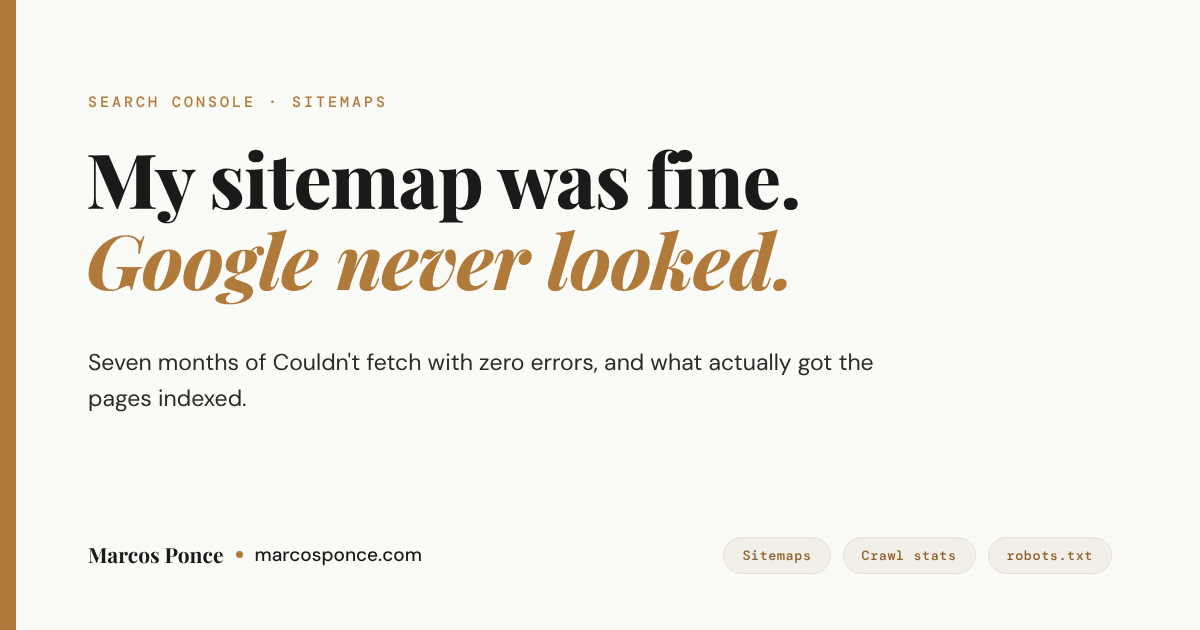
My game review site had a sitemap that Search Console marked Couldn’t fetch for seven months. I resubmitted it. I submitted the child sitemaps one by one. I removed them and added them back. The status never moved.
Short version for the skimmers. A sitemap Couldn’t fetch status with zero errors and no Last read date usually means the file is fine and Google simply hasn’t tried to download it. On a young site with few links, that can last for months, and resubmitting changes nothing. What got my pages indexed was Request Indexing, one URL at a time, plus links from other sites.
KEY FACTS
7 months of Couldn’t fetch across 5 submitted sitemap URLs, with 0 errors and no Last read date on any of them.
455 Google crawl requests to the whole site in 90 days. Only 3% of them were Google looking for new pages.
52 game pages linked from Google’s own stored copy of the homepage. 32 of those pages were still unknown to Google.
About 6 minutes from a Request Indexing that went through to the page being crawled and indexed.
About 10 simultaneous uncached requests before my host started answering with database errors, robots.txt included.
What Search Console showed
The site is Is It Fun?, which scores PC games on one thing: whether they’re actually fun. It’s a WordPress site on shared hosting, with Rank Math generating the sitemaps. One sitemap index, one child for the game pages, one for regular pages. About 60 URLs in total.
Search Console listed every one of them as Couldn’t fetch. The Search Console API was more specific, and more useful. Every sitemap came back as pending, with no download date and zero errors or warnings.
Pending is the important word. Couldn’t fetch in the web interface sounds like Google tried and failed. Pending with no download date means Google never tried at all. A failed fetch points at your server. A fetch that never happened points at Google’s queue.
I’ve had Search Console fights on this blog before, like the time Site Kit said I was missing scopes I already had. This one was quieter. No error message at all, just a status that never changed. So before blaming Google, I wanted to rule out the site.
Everything I checked, and what it ruled out
Here’s the list, in the order I ran it.
| Check | How I ran it | Result |
|---|---|---|
| Valid XML | Parsed all three files with a strict XML parser | Valid, nothing before the XML declaration |
| Served to Googlebot | Fetched as Googlebot from both of the host’s CDN addresses, over HTTP/1.1 and HTTP/2, compression on | 200 and text/xml every time |
| robots.txt | Search Console’s robots.txt report | Fetched on all four versions of the domain, sitemap listed |
| Server errors | Crawl stats, host status | No problems, no 5xx responses |
| Google’s copy of the homepage | URL Inspection, View crawled page | Links to 52 game pages, including every one Google called unknown |
| A brand new sitemap URL | Submitted the same files with a version string on the end | Still pending |
| Load | 60 requests, 12 at a time, cache bypassed | 12% to 27% came back as database errors |
The second row is the test most guides tell you to run, and it’s the easy one:
curl -s -o /dev/null -w "%{http_code} %{content_type}\n" \
  -A "Mozilla/5.0 (compatible; Googlebot/2.1; +http://www.google.com/bot.html)" \
  https://example.com/sitemap_index.xml
On its own it proves less than it looks like it does. A firewall can tell a real Googlebot from a fake one by its IP address, so a clean result from your laptop says nothing about how Google itself gets treated. That’s why rows three to five carry the weight. They show what Google actually saw.
The last row is a separate problem, and I’ll come back to it.
The theory I almost believed
While I was checking, I found a write-up from someone with the same symptom: sitemaps pending, no errors, no download date. Their cause was a firewall rate limit that blocked Google during a burst of requests. Google then put those exact sitemap URLs into a retry backoff and quietly stopped trying.
Their test was clever. Submit the same file under a new URL. If Google processes it right away, the old URLs are stuck in backoff and the file was fine all along.
My site had a history that fit. Months earlier, an audit had run into the host’s Checking your browser challenge after a few dozen requests. So I ran the same test and submitted both sitemaps again with a version string on the end, URLs Google had never seen.
Thirty-five minutes later they were still pending. In the write-up I was following, the fresh copy went through in seconds. Whatever was holding my sitemaps back, it wasn’t tied to particular URLs.
What was actually wrong
Crawl stats gave it away. Google had made 455 requests to the whole site in 90 days. That’s about five a day, most of them refreshing pages it already knew plus the scripts and images those pages load. Only 3% were Google looking for anything new.
Google is plain about where a sitemap stands. Its sitemap documentation says submitting one is merely a hint, and that Google doesn’t promise to download it. On a site with almost no links from anywhere else, Google had decided there wasn’t much here worth fetching, and the sitemap sat in the same slow queue as everything else.
Then I opened the homepage in URL Inspection and viewed the crawled page. Google’s stored copy linked to 52 game pages, including all 32 it listed as unknown. So the sitemap wasn’t even the bottleneck. Google already had every URL. It just hadn’t scheduled them.
That changed the question. Fixing the sitemap was never going to help. I needed Google to value the site more, or to ask for each page directly.
The side finding that mattered more
Back to the last row of the table. I sent 60 uncached requests at the site, 12 at a time, which is roughly what a few crawlers and a small traffic spike look like together. Between 12% and 27% came back as HTTP 500 with WordPress’s Error establishing a database connection page. Up to 8 at once, nothing failed. Around 10, things started breaking.
The worst of it was robots.txt. WordPress generates it on every request, so it needs the database too, and under load it failed along with everything else. That matters because of how Google treats a robots.txt that errors. According to Google’s robots.txt documentation, a server error there makes Google stop crawling the site for the first 12 hours while it keeps retrying.
Crawl stats showed this hadn’t happened yet. Google crawls this site far too gently to trigger it. One popular Reddit post sending a few hundred people at once would. So I fixed it anyway:
- robots.txt is now cached at the server, so it never touches PHP or the database.
- The host’s object cache is on, which brought the error rate in the same test down to about 6%.
- What’s left is the hosting plan’s database connection limit, which is a conversation with the host, not a setting I can change.
What actually got pages indexed
Request Indexing in URL Inspection. One URL at a time, typed into the search bar at the top of Search Console. When a request went through, Google crawled the page within about six minutes and indexed it, review stars included. Counter-Strike 2 and Fallout 4 both went from unknown to indexed that way on the same day.
Two things surprised me.
The quota is small. Google doesn’t publish the number, and its recrawl documentation only says there is one. I got two to four requests through per property per day before it said Quota Exceeded. Adding a URL-prefix property next to the domain property bought a second batch. A request on a different site’s property right after that was refused on its first try, so the limit may follow the Google account rather than the property.
The confirmation can lie. After a request, Search Console shows an Indexing requested dialog. I was scripting the clicks, and the old dialogs stay in the page after you close them, so my script kept reading an earlier success as if it were the latest one. Several requests I thought had gone through never did. The reliable check is the outcome. Inspect the URL an hour later and look at the last crawl date. If it hasn’t moved, the request didn’t land.
Request Indexing gets individual pages in. It doesn’t make Google crawl the rest of the site more often. Links do that. So the site now has a link from my post about letting Claude run my websites, which runs on the same setup, and the next step is links from places people actually read.
The order I’d check things in now
- Look at the sitemap through the Search Console API or the sitemap details page, not just the Couldn’t fetch label. Pending with no download date is a queue, not an error.
- Fetch the sitemap yourself and parse it. If it isn’t a 200 with valid XML, fix that first and resubmit.
- Open Settings, then Crawl stats, then Host status. The robots.txt fetch, DNS and server connectivity checks should all read as acceptable.
- Inspect the homepage and view the crawled page. If your links are in there, Google already knows your URLs.
- Check total crawl requests. A handful a day means the problem is how much Google values the site, and no sitemap fix will change that.
- Request Indexing for your most important pages, a few a day, and use the last crawl date to see which ones landed.
- Load test once, gently, and make sure robots.txt can’t fail when the database is busy.
If the server is the problem, it usually shows up as an auth or header issue long before indexing. I wrote up the header my server threw away after losing an hour to one of those.
FAQ
Does Couldn’t fetch in Search Console mean Google can’t reach my sitemap?
Not always. If the sitemap shows zero errors and no Last read date, Google most likely hasn’t tried yet. Fetch the file yourself and parse it. If it returns 200 and valid XML, the file is fine and the wait is on Google’s side.
Will resubmitting the sitemap fix it?
It didn’t for me. I resubmitted it several times and even submitted fresh URLs for the same files, and none of them were downloaded. Resubmitting helps after you’ve fixed something in the file. It does nothing when the file was never the problem.
How many Request Indexing calls do I get per day?
Google doesn’t publish a number. I got two to four per property per day before seeing Quota Exceeded, and the limit seemed to follow the Google account more than the property.
Do I need a sitemap at all if Google finds my pages through links?
Keep it. It costs nothing and it helps once Google starts paying attention to the site. It just isn’t what gets a new site crawled. Links and direct requests are.
Can a robots.txt error stop Google from crawling my site?
Yes. Google says a server error on robots.txt makes it stop crawling the site for the first 12 hours while it keeps retrying. On WordPress, robots.txt is generated by PHP, so a database outage takes it down too. Caching it at the server removes that risk.
The short version
A Couldn’t fetch sitemap with no errors and no download date is usually Google’s queue, not your file. Prove the file works, confirm Google already has your URLs, then stop resubmitting. Ask for your most important pages one at a time, and put the rest of the effort into getting the site linked from places people read. That’s what Google is actually waiting for.
The site all this happened on is Is It Fun?, where every game gets one score for fun and nothing else. If you want to see what made it into the index, start with the games not worth playing, or read how the scores work.
Stay in the loop.
No spam, just signal.
I send one email when I publish something worth reading. Stock deep dives, new projects, tech breakdowns, and what I'm learning from building in public.
Free forever. Unsubscribe anytime. I respect your inbox.